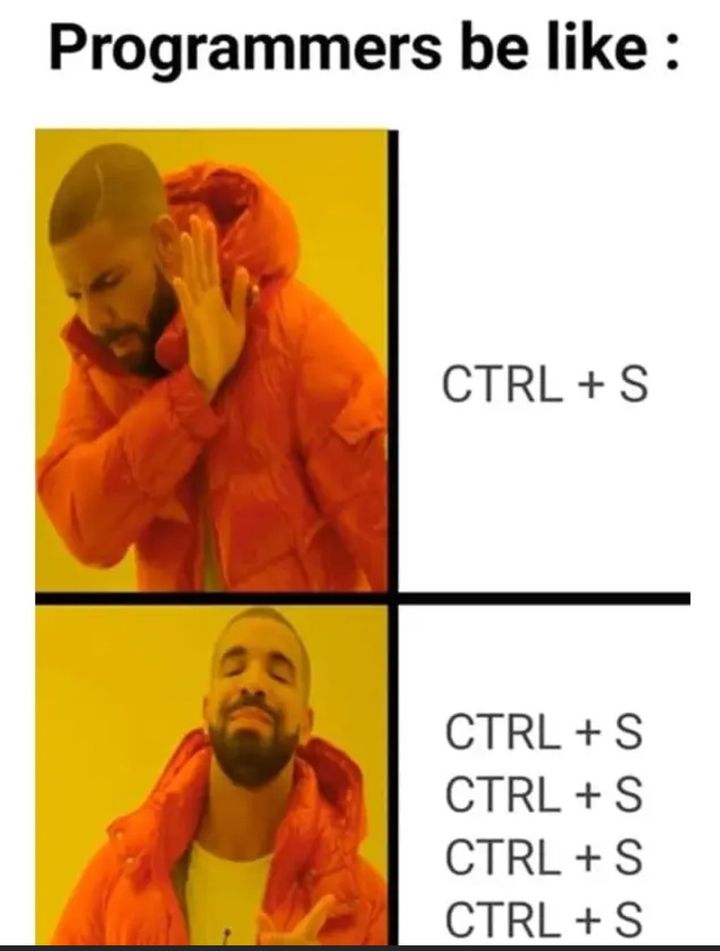
:w
:w
:w
:w
:w
i
esc
:w
:w
:w
:w
Average day in (neo)vim
- 2 years
I use quake style terminals, and often start writing a file and completely forget about it and turn off the computer, and only remember what i left behind when i find the random recovery files around, so :w a lot is quite useful for me.
- 2 years
Yes, on classic fps you could spaw a console that will drop down from the top os the screen, some terminal emulators allow you to do that.
I like it because then i have the terminal always open that i just draw from the top of the screen with a keypress
On KDE i do that with Yakuake, and on gnome with tilix
- 2 years
You can also use Guake on GNOME or basically on any desktop. I’ve also use it on Cinnamon and it’s really nice.
- 2 years
My biggest (mostly) irrational internet pet peeve is the proliferation of people suggesting “:wq” when “:x” is strictly better.
- 2 years
Is there any reason to use :w other than it being the default? I have mine mapped to CTRL-S and it makes sure to keep me in insert mode if I was in insert mode. Feels way faster and easier to spam than the 4 key presses it takes to execute “:w”.
I’m just used to it and I’m keeping ny time in instert mode at minimum.
Requires me to use my pibky for ctrl. I have esc remaped to caps so its faster for ke to just do :w
- 2 years

This will allow you to ctrl+s to save. I tried to add this in a backtick code line/block but it removes part of the syntax.Sorry but I’m already used to :w stoo much and a lot faster with it than ctrl+s
- 2 years
Some of us have PTSD from losing work back in the day. Now it’s just habit.
- 2 years
It’d be great if there were side kind of feedback, like the cursor quickly flashing a “C” or something… anything to let you know the operation occurred; better yet, was successful.
- kbotc@lemmy.worldEnglish2 years
I actually disagree from a systems engineer perspective: The program doesn’t actually know shit if those bits hit any permanent medium, just that the OS told them “I’ll take care of it” it could be sitting in a write back cache when you save, see the “write complete” and rip the power and that’s all gone now. Basically, I don’t like promising durability when it’s not really there.
- 2 years
Check for an asterisk after the file name (in the tab/title bar), it means “unsaved changes”.
- Stupidmanager@lemmy.worldEnglish2 years
The old school programmer right here! All we’re missing is someone typing git commit -am “updates and stuff”
- 2 years
Basically a Jackie Chan fight scene, complete with somebody rolling a carriage at him and him kicking it back to pin them against the wall
When you do this using Word online it be like “chill dude we autosave here, we got you” and I’m like “brother I do not trust you”.
- 2 years
We can optimize this further:
unsatisfied = true
while(unsatisfied) {
    key.dispatch(
        Keyboard::Ctrl,
        Keyboard::s
    )
}
…No, there is no instance where
unsatisfiedchanges stateDon’t worry, most modern brains have a builtin jit compiler, so when a habit starts to form, the check will be optimised out. (It saves excess neurons from being generated.)
- 2 years
It’s because the first time doesn’t always work. I swear, sometimes it doesn’t!
 2 years
Ctrl + C literally doesn’t work at times, it drives me crazy. It might be due to some shitty applications and websites overriding it or adding complexity (Like copying not only the text but additional information).
I’m often 100% sure I copied the text, change the window and an old clipboard entry gets pasted.
- 2 years
God I hate this so much. It’s especially frustrating on mobile where it takes like thirty seconds to try to get the right part of the text copied and use the fucking magnified blue dots… Ugh.
Mobile is an entirely different beast. Like sometimes my keyboard doesn’t show up. Or the text select refuses to work. And so on. It’s a mess. Even on a Galaxy S22.
No clue how people can exist without a proper computer at home and still do stuff online.
It saves all files that are changed rather than just the current one you have open.
Ctrl+s means “stop the presses” to VT100 terminal emulators and you have to press ctrl+q to resume. Key combinations from a different era.
- 2 years
I just can’t stand Kate showing me a little orange bar meaning I have not saved the changes yet. The bar must be green! I am a slave to the green bar. The white dot in vscode (I use an open source build) is a bit more tolerable, but whenever I notice it I HAVE to save the file.
- 2 years
Kate
Ah! Another fellow coder of culture!
It’s such a good text editor.
- 2 years
Dude I save almost every time I type anything. It’s muscle memory at this point.