• 4 posts
  • 27 comments
Joined 3 years ago
Cake day: July 2nd, 2023
  • I’m not a lawyer, but if I wasn’t planning to do anything related to the other ‘dedsec’, I wouldn’t even consider what the owner of that dedsec would think.

    Businesses have the same name ALL THE TIME.

    Unless you’re trying to piggyback on or undermine that other dedsec, I, the non-lawyer, can’t imagine how they’d have any standing to raise a concern.

    Whatever you’re doing must have led you to the dedsec name (I assume it’s a website for dog-eat-dog security), there’s just no way in my (non-lawyer) mind that EA or Ubisoft has any right to stop you from saving dogs from being eaten.

    I (the non-lawyer) would 100% not pay a lawyer for their opinion on this.

  • Ok. Did a bunch more testing here tonight.

    I have 2x 8tb SAS drives that have worked for several weeks now. Those show up in bios reliably regardless of which connector I use. So I think the HBA is working and the cables are good.

    Of the 10x 10tb drives, 1 drive shows up reliably. It also seems to work on any connector I use. But it is the only drive the works.

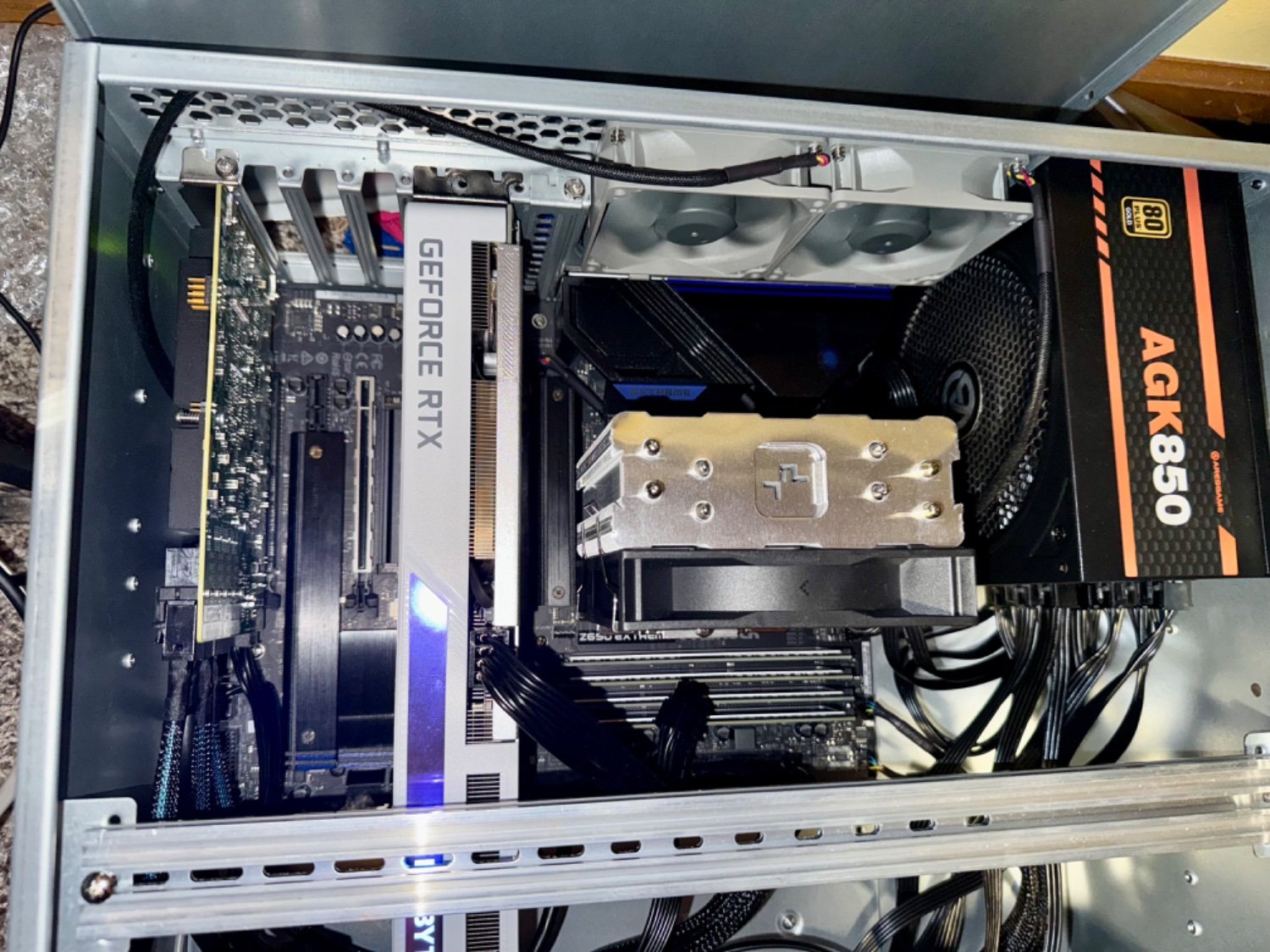
    Here is 8 of the 10 installed and only one showing in BIOS. I think the other 7 are not even spinning up.

    An additional weird thing is that at least 1 other of the 10 drives did show up the first time I plugged it in from inside the xpenology VM. I did ‘hot swap’ that one in, but it then passed a SMART test. But since it passing the test and me pulling it, it hasn’t worked again. I’m also not positive which drive it is because originally I wasn’t expecting things to behave so weirdly, so I didn’t start taking notes…

    As another test, I got a hold of a 9305-16i to see if the drives would read on that. And while that card would show up in BIOS, none of the drives – including the 8th that have always worked – showed up or spun up at all! I wonder if that card is not compatible with my mobo?

    Is it possible other BIOS settings are interfering?

Me again, back with another probably dumb question, but you beautiful bastards have been so helpful so far, I can’t stay away!

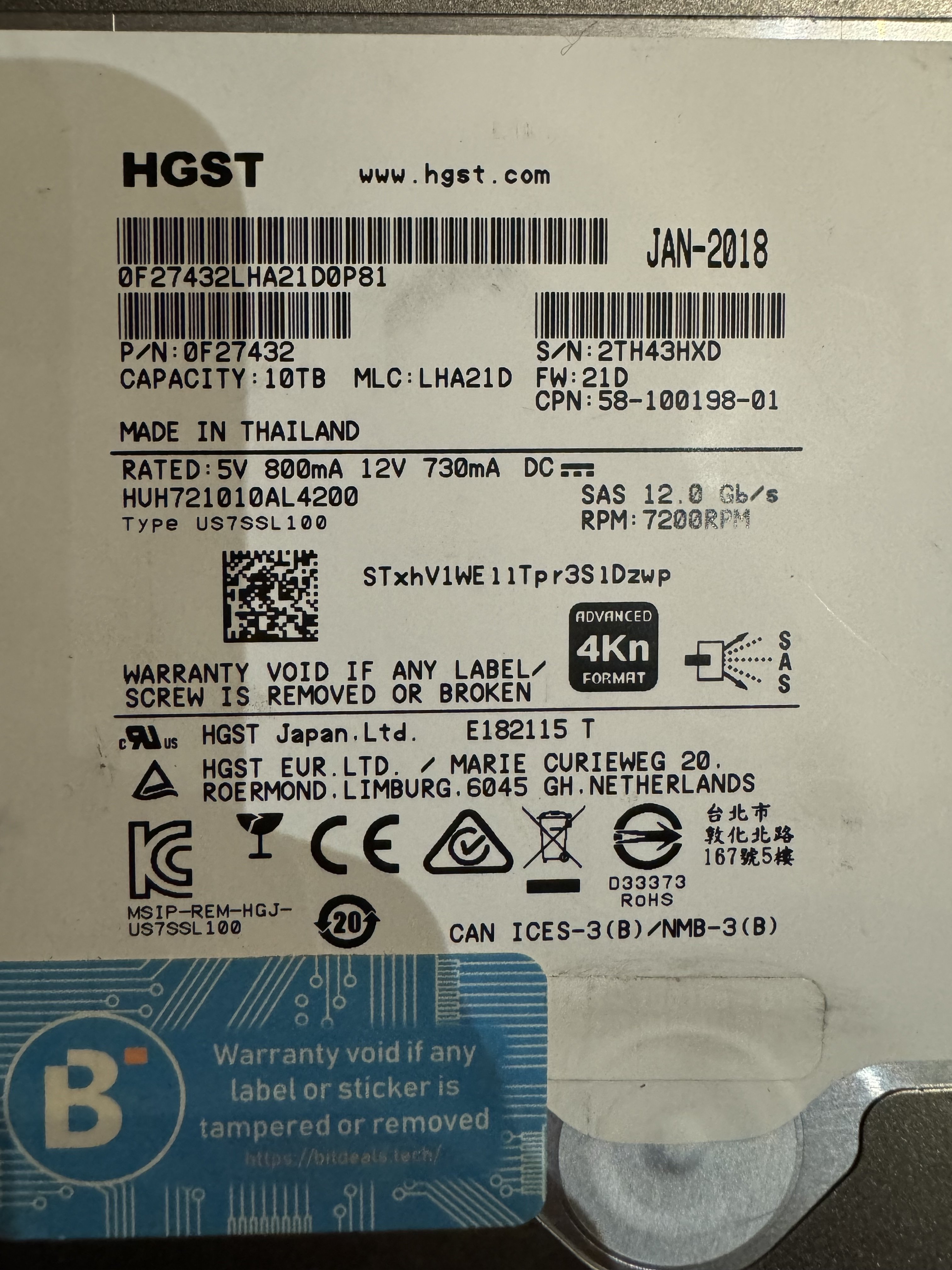
I got 10x 10TB SAS drives from FB market place. They look like they’re in good shape and the guy says he pulled them from the live server of a family member who passed. HGST. most/all are 2018.

I brought them home and tried to mount them one-by-one in an xpenology VM to smart test them (easiest place I had set up for SMART tests).

But most of my troubleshooting has just involved looking at the HBA menus in BIOS and seeing if the drives even show up. Currently only 1 seems to reliably.

and I got a weird mix of drive showing up fine, but others not showing up at all. I also got a couple drives that passed a SMART test, then when I pulled them and tried to remount them later, they don’t even show up?

I tried using molex to SATA power adapters to rule out 3.3v, didn’t help.

I don’t think it’s formatting because some of them mounted at least once and they all came from the same server.

I tried putting the HBA in another PCIe slot, plan to try the third slot tonight.

I have this HBA, confirmed in BIOS it’s in IT mode: https://www.amazon.com/gp/product/B0BYZBNXBS/

(I’m having troubles finding a good manual for this board, by the way. there are flashing LEDs that may be trying to tell me something?)

and these breakout cables: https://www.amazon.com/gp/product/B07B9SBSVW/

I might try another HBA, rule out bad board. I plan to try the third PCIe slot tonight, try to rule that out…

What else?

They could be just bad drives, but the seller seemed genuine and they look like they’re in good shape. He even pinged me after the sale to see how they worked out for me… doesn’t seem like a scammer.

Also, a couple questions: 1) these should be hot-swappable, right? and 2) what would happen if this PCIe x8 card is in a PICE x4 slot?

Thanks again. You guys have been great! :)

Me again. The guy with the NIC problem from before.

I installed the Rx590 and it shows up in lspci as an RTX 2070. I was hoping it was just Proxmox not having drivers or something, but when I pass it into the Hackintosh it’s meant for, it shows as NVIDIA there too:

Now I did get the Rx590 off eBay, but I’m it was listed as and looks like this: https://www.powercolor.com/product?id=1551768831

So I think it is actually a Rx590.

This is lspci. 01:00.0 is a RTX 3060. 03:00.0 is the Rx590.

00:00.0 Host bridge: Intel Corporation Device a740 (rev 01)

00:01.0 PCI bridge: Intel Corporation Device a70d (rev 01)

00:02.0 VGA compatible controller: Intel Corporation Raptor Lake-S GT1 [UHD Graphics 770] (rev 04)

00:14.0 USB controller: Intel Corporation Alder Lake-S PCH USB 3.2 Gen 2x2 XHCI Controller (rev 11)

00:14.2 RAM memory: Intel Corporation Alder Lake-S PCH Shared SRAM (rev 11)

00:15.0 Serial bus controller: Intel Corporation Alder Lake-S PCH Serial IO I2C Controller #0 (rev 11)

00:16.0 Communication controller: Intel Corporation Alder Lake-S PCH HECI Controller #1 (rev 11)

00:17.0 SATA controller: Intel Corporation Alder Lake-S PCH SATA Controller [AHCI Mode] (rev 11)

00:1a.0 PCI bridge: Intel Corporation Alder Lake-S PCH PCI Express Root Port #25 (rev 11)

00:1b.0 PCI bridge: Intel Corporation Device 7ac4 (rev 11)

00:1c.0 PCI bridge: Intel Corporation Alder Lake-S PCH PCI Express Root Port #2 (rev 11)

00:1c.4 PCI bridge: Intel Corporation Alder Lake-S PCH PCI Express Root Port #5 (rev 11)

00:1d.0 PCI bridge: Intel Corporation Alder Lake-S PCH PCI Express Root Port #9 (rev 11)

00:1f.0 ISA bridge: Intel Corporation Z690 Chipset LPC/eSPI Controller (rev 11)

00:1f.3 Audio device: Intel Corporation Alder Lake-S HD Audio Controller (rev 11)

00:1f.4 SMBus: Intel Corporation Alder Lake-S PCH SMBus Controller (rev 11)

00:1f.5 Serial bus controller: Intel Corporation Alder Lake-S PCH SPI Controller (rev 11)

00:1f.6 Ethernet controller: Intel Corporation Ethernet Connection (17) I219-V (rev 11)

01:00.0 VGA compatible controller: NVIDIA Corporation GA106 [GeForce RTX 3060] (rev a1)

01:00.1 Audio device: NVIDIA Corporation GA106 High Definition Audio Controller (rev a1)

02:00.0 Non-Volatile memory controller: Sandisk Corp Western Digital WD Black SN850X NVMe SSD (rev 01)

03:00.0 VGA compatible controller: NVIDIA Corporation TU106 [GeForce RTX 2070] (rev a1)

03:00.1 Audio device: NVIDIA Corporation TU106 High Definition Audio Controller (rev a1)

03:00.2 USB controller: NVIDIA Corporation TU106 USB 3.1 Host Controller (rev a1)

03:00.3 Serial bus controller: NVIDIA Corporation TU106 USB Type-C UCSI Controller (rev a1)

04:00.0 Ethernet controller: Realtek Semiconductor Co., Ltd. RTL8125 2.5GbE Controller (rev 05)

05:00.0 Non-Volatile memory controller: Micron/Crucial Technology Device 5415 (rev 01)

06:00.0 PCI bridge: PLX Technology, Inc. PEX 8724 24-Lane, 6-Port PCI Express Gen 3 (8 GT/s) Switch, 19 x 19mm FCBGA (rev ca)

07:00.0 PCI bridge: PLX Technology, Inc. PEX 8724 24-Lane, 6-Port PCI Express Gen 3 (8 GT/s) Switch, 19 x 19mm FCBGA (rev ca)