Device information
Sync version: v24.03.26-14:56
Sync flavor: googlePlay

Ultra user: true
View type: Compact

Device: OnePlus8
Model: OnePlus IN2013
Android: 13
Device information
Sync version: v24.03.26-14:56
Sync flavor: googlePlay
Ultra user: true
View type: Compact
Device: OnePlus8
Model: OnePlus IN2013
Android: 13
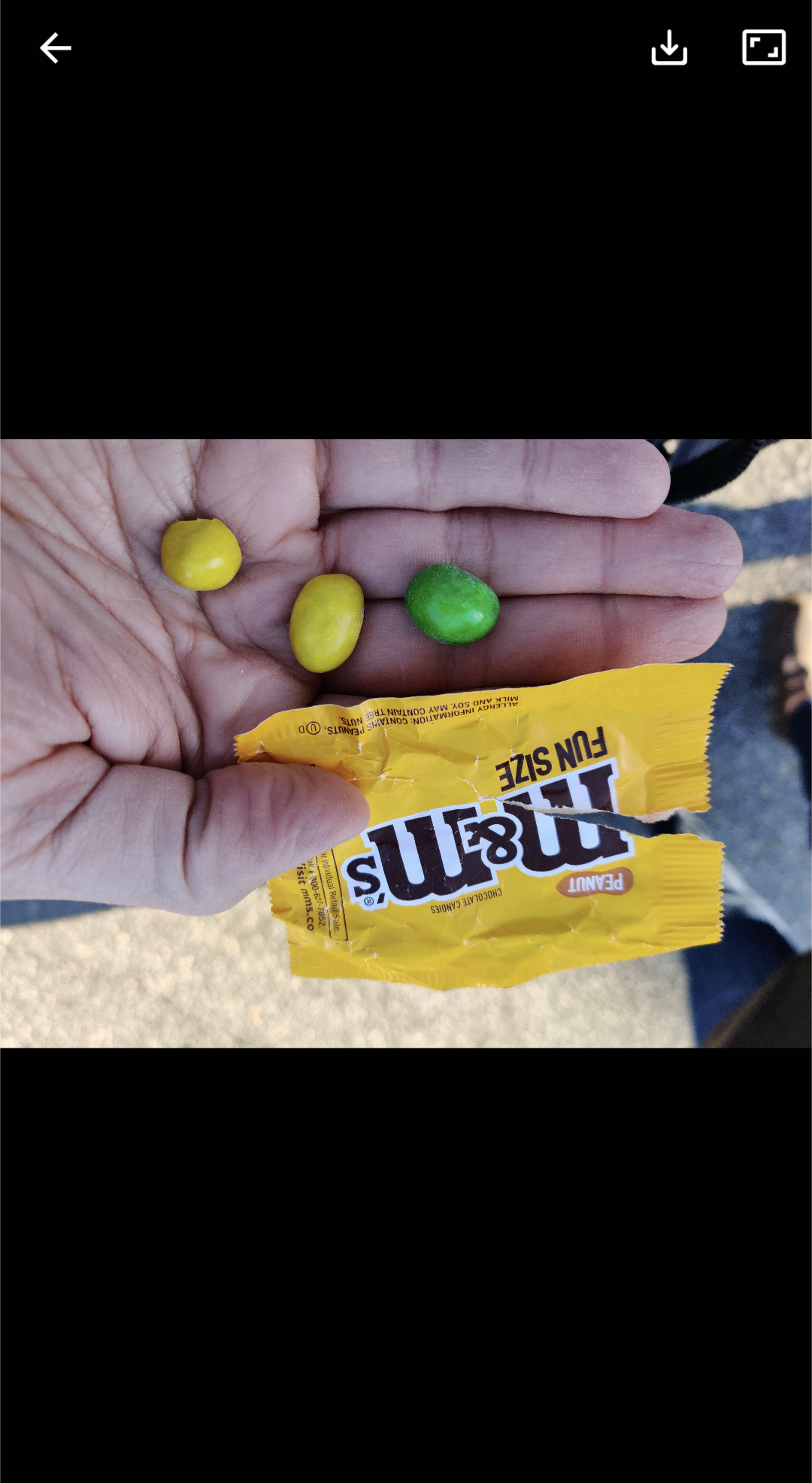
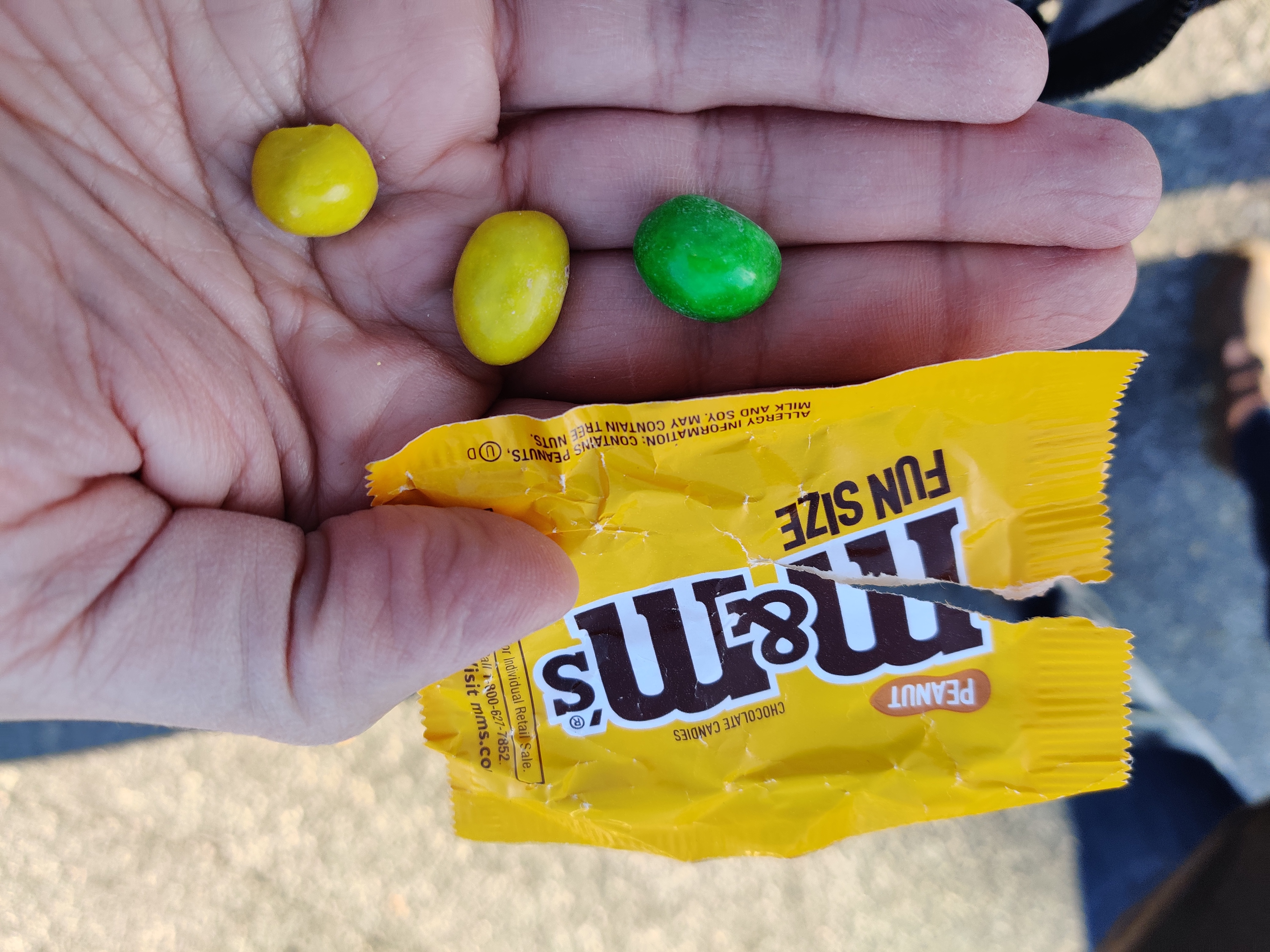
that’s probably it. picture was taken ‘upside down’ and that orientation is embedded in the file.
even on 50mbit internets it was noticeable in the browser (displayed correctly), as the picture painted on-screen bottom-first.
That’s actually pretty bad and should be fixed asap. There have been people robbed and near extinct animals killed because someone uploaded an image with coordinates in the exif. Social media should always by default delete this info during upload.
Based on a small search I did yesterday, exif data gets removed., or at least was about a year ago. I haven’t tested for myself though, so I won’t confirm.
It also flips in Boost. I don’t think it’s a Sync specific thing.
On Eternity it flips when I click it, looks fine when as part of the post or in feed
I am looking at it in Boost now and it is viewing correctly. I will switch to Sync and weigh in…
Preview works fine for me, when I open up the original it flips upside down.
…it flips when I view it in Sync. Interesting.
Device information
Sync version: v24.03.26-14:56
Sync flavor: googlePlay

Ultra user: false
View type: Slides
Push enabled: false

Device: husky
Model: Google Pixel 8 Pro
Android: 14
Yeah, me too.
Device information
Sync version: v24.03.26-14:56
Sync flavor: googlePlay

Ultra user: false
View type: Smaller cards
Push enabled: false

Device: raven
Model: Google Pixel 6 Pro
Android: 14
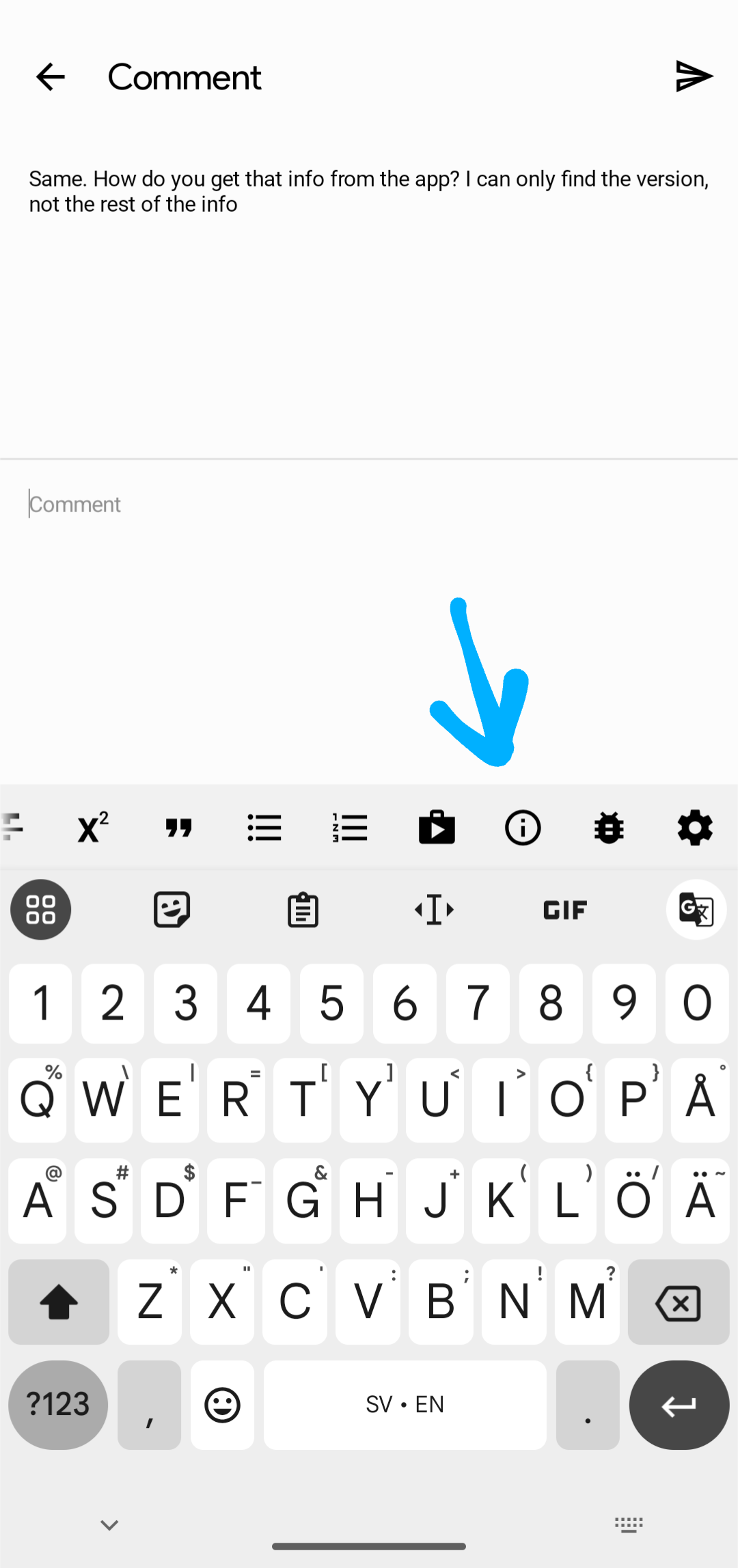
Same. How do you get that info from the app? I can only find the version, not the rest of the info
Holy shit! That’s neat. Thank you!
Device information
Sync version: v24.03.26-14:56
Sync flavor: googlePlay

Ultra user: false
View type: Slides
Push enabled: false

Device: OP594DL1
Model: OnePlus CPH2449
Android: 14
Oh, cool, I did not know you can scroll through these buttons and see more
Same here
Device information
Sync version: v24.03.26-14:56
Sync flavor: googlePlay

Ultra user: true
View type: Small cards
Push enabled: false

Device: o1q
Model: samsung SM-G991U1
Android: 14
same here
Device information
Sync version: v24.03.26-14:56
Sync flavor: googlePlay

View type: Slides
Push enabled: false

Device: oriole
Model: Google Pixel 6
Android: 15
Same.
Device information
Sync version: v24.03.26-14:56
Sync flavor: googlePlay

Ultra user: false
View type: Slides
Push enabled: false

Device: oriole
Model: Google Pixel 6
Android: 15
Device information
Sync version: v24.03.26-14:56
Sync flavor: googlePlay

Ultra user: false
View type: Slides
Push enabled: false

Device: shiba
Model: Google Pixel 8
Android: 15
Same for me.
Same
Device information
Sync version: v24.03.26-14:56
Sync flavor: googlePlay

Ultra user: false
View type: Slides
Push enabled: false

Device: panther
Model: Google Pixel 7
Android: 14
Same:
Device information
Sync version: v24.03.26-14:56
Sync flavor: googlePlay

Ultra user: true
View type: Slides
Push enabled: false

Device: sunfish
Model: Google Pixel 4a
Android: 13
Same
Device information
Sync version: v24.03.26-14:56
Sync flavor: googlePlay

View type: Slides
Push enabled: false

Device: OnePlus7Pro
Model: OnePlus GM1910
Android: 13