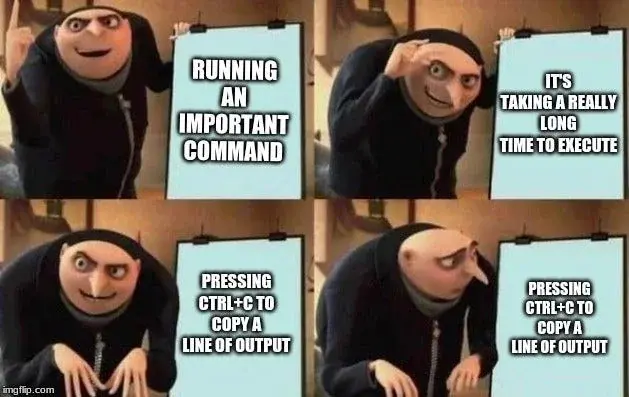
- errer@lemmy.worldEnglish3 years
Use ctrl +shift +c to copy in terminal
Ah yes the classic dangerous command made safe by a modifier key. Put the gun to your head and pull the trigger, just make sure you’re holding down the shift key and it’s all good!
- 3 years
Ctrl+insert to copy and shift+insert also works! It was the DOS way of doing it.
- 3 years
Or change copy to command+c… I’m gonna be honest, OSX is right here. And quite strangely it is very hard to customize your linux to imitate that.
- 3 years
Or change copy to command+c… I’m gonna be honest, OSX is right here. And quite strangely it is very hard to customize your linux to imitate that.
- 3 years
This is how my secure crt is set up when im accessing switches. If i use ctrl+c it cancels what im doing and drops back to priv mode and its so frustrating.
- 3 years
Select text to copy. Middle click to paste.
Don’t use Ctrl…
- 3 years
To be fair, I would not expect someone using a wayland WM and urxvt to use the mouse to copy-paste.
- 3 years
I understand. I’m not using sway and urxvt as someone more skilled would do. I’ve Made this config some years ago to try but nowadays I’m not doing computer things anymore but I’ve kept this config because it’s light, fast and it’s simply working. So basically, today I’m just copying my passwords from pass in urxvt to my webmail in Firefox with my mouse for checking mail …
- 3 years
It’s less that it’s broken and more that it hasn’t been implemented yet AFAIK.
- 3 years
I never realized that was why people used the primaey clipboard on Linux…
But I’ll be frank : fuck that. I’d rather disable it entirely and stop having to deal with random text pasting in bad places when I’m using the touchpad
- 3 years
What wonky touchpad makes that a problem?
You could use shift -insert instead I suppose.
- 3 years
It didn’t load completely at first, so i saw something like this and i think it is even better that way:

- 3 years
I think it works better with the context of the original already present.
- 3 years
I’ve almost gotten into the habit of hitting
Ctrl+Shift+Cwhen I want to copy something because of that.- 3 years
I do that all the time. Opens up developer tools on firefox if you do it.
- 3 years
That solution ish the worst. Ctrl-shift-c does a shitload of different things in different programs, and in browsers it does different things per page.
Ctrl-ins, shift-ins, shift-del for the win bit THEN some programs simply refuse to support that.
I have like 4 different copy paste short cuts because of this and it sucks
- 3 years
I’m not saying it’s great, but at least in my use I haven’t seen it being destructive/disruptive like
Ctrl+Cis. - millie@lemmy.filmEnglish3 years
Do you at least have 4 clipboards to go with them? Because I don’t think I could ever go back to a single clipboard.
- 3 years
I use standard Linux dual clipboard (Ctrl ins and just select, middle click) but most extra clipboards I’ve seen require a lot of extra clicking to get the work done. I want something simple stupid fast.
- millie@lemmy.filmEnglish3 years
I’m running windows for my daily, but I’ve got Ditto and it works great. I have like 3 clipboards set up, could set up more. It just needs a different hotkey combination. It’s really simple.
 3 years
Kitty has the feature that if you have text selected it will copy and if not then it will interrupt the command
- 3 years
Yeah I love this feature. I love it so much that I’ll also tell everyone who cares to listen how you can use it. Edit your ~/.config/kitty/kitty.conf file to include
map ctrl+c copy_and_clear_or_interruptand you are good to go. Only issue I have that it doesn’t seem to work in the vscode terminal.Any keybinds I have set don’t work in vscodium terminal for me too. I mainly use neovim for those things.
- 4am@lemm.eeEnglish3 years
Oh what a great way to further entrench a bad habbit! Hang on I need to remedy some refactored code with
rm -rf *which Kitty made safe if I’m in a directory with my project files 🙄
True strength is bending the machine to appease your habits, not to bend your habits to appease the machine.
- Storyteller@lemmy.worldEnglish3 years
No. The flesh is weak. The machine is immortal.
Flesh is fallible but ritual honours the machine spirit.
All hail the Omnissiah.
- Doug [he/him]@midwest.socialEnglish3 years
That sounds a lot like
My rear passenger tire was about 3psi low so I bought a new Grand Cherokee
- 3 years
Yeah, I was looking at this wondering why anyone would stop a program just to copy a line, and then I remembered that not everyone uses a Mac.
- 3 years
I literally just learned about Ctrl+c last week, I’ve been using terminal casually since I was 10, and always thought it was dumb that when a script was stuck hanging that I had to close the command window and redo my steps. I always thought it was weird that you had to right click to copy something and never thought why that might be the case, I have no excuses.
- 3 years
I additionally mapped that latter one to
F2, because being able to repeatedly copy from VIM and paste into another application without having to move your hand between mouse and keyboard is nice.Of course, that’s VIM. If you meant “vim mode” in shell, then that’s a different story.
- 3 years
press enter and then immediately CTRL+C to stop, then anytime u need u can press UP to go back to where you were
- 3 years
no i was trying to show my method for avoiding that. i get the joke but i was also trying to be actually helpful
- 3 years
I can’t for the life of me figure out how your proposed method helps in the described scenario.
Maybe I misunderstood it, can you elaborate?
- El Barto@lemmy.worlddeleted by creator3 years
With your method, as soon as you hit control+C, the program is terminated.
Or what are you doing to avoid the program being terminated?