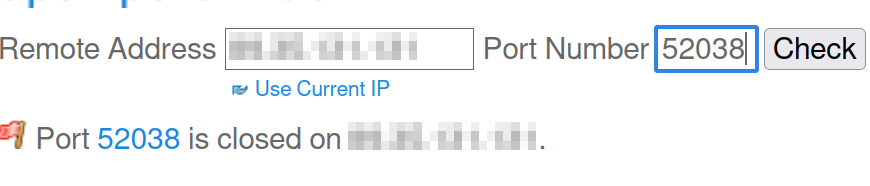
I want to set up ufw on my server, but something wrong here. Even when I trying to block 22 port ssh still working and nothing changing. I have ufw enabled, but nothing works.
ufw's rules is not working
English
I want to set up ufw on my server, but something wrong here. Even when I trying to block 22 port ssh still working and nothing changing. I have ufw enabled, but nothing works.
Pretty much nobody can help you with the information you provided there.
Minimum required is going to be a ‘ufw status’ output. The whole output, not an edited partial output.
So you want to block port 22? Yet the rule you added allows access, or am I misunderstanding?
You probably need to be DENY instead of ALLOW if that’s what you’re wanting to accomplish.
This! You have it set to “Allow”, so it’s allowing it. You need to set it to Deny.
sudo ufw delete allow 22
Is this a public facing server? If it isn’t the online port port scanners will not work as they are scanning your public IP. Also they are unreliable in general. Best tool for the job is nmap. It has a ton of config options so you will need to do some reading. (Definitely worth the learn)
Do you have something listening on port 52038 that will respond to a port scan? If not it will report as closed.
It’s my port for wireguard and here what I can’t understand: when I blocking port for this wireguard service I still can use wireguard even if ufw deny it.
Wireguard appears as closed unless it receives the proper packet.
Is wireguard incoming or outgoing from the machine you’re trying to block it on?
outgoing, I guess. I mean, it’s on my vps which I want to use for vpn
That’s a website tool checking? It’s almost certainly only going to check TCP, since most of them don’t do anything with UDP because it’s… more complicated.
You may need to find an alternate way to do that, something like iperf or netcat (nc -u ip port)
nmap works great for this
traceroute might also be usable vith the -p switch I guess?
UFW, by default, blocks all incoming requests. This means that SSH (port 22) is blocked already. Then, if you need to, whitelist (ALLOW) ports that you want to expose to the network. For example, I have ports 1714-1764 whitelisted for KDE Connect and everything else is blocked.
It’s listed as the “profile” in the screenshots you’re listing, but that’s the ruleset you’re altering.
I used nft or iptables, and my interaction with ufw has been sparse, and mostly through the UI, because the rulesets the GUI generates are incomprehensible. There should be a command in ufw to report which profile is active.
I’m going to guess this is a dead-end, since you’ve been using the CLI and I have to believe it uses the active profile by default, unless you tell it otherwise. However, in the GUI, if you edit rules in a profile it doesn’t automatically apply to your current ruleset. And if you alter your current ruleset, it doesn’t automatically persist it. So, even if you change a rule on the Home profile, and the Home profile is active, it doesn’t automatically get applied to the running ruleset; you have to take another action to apply it.
Mind you, that’s all through the UI; I’ve never used the ufw command line, so this is (again) probably a red herring. I find ufw to be obtuse at best, because of the Byzantine rulesets it generates.
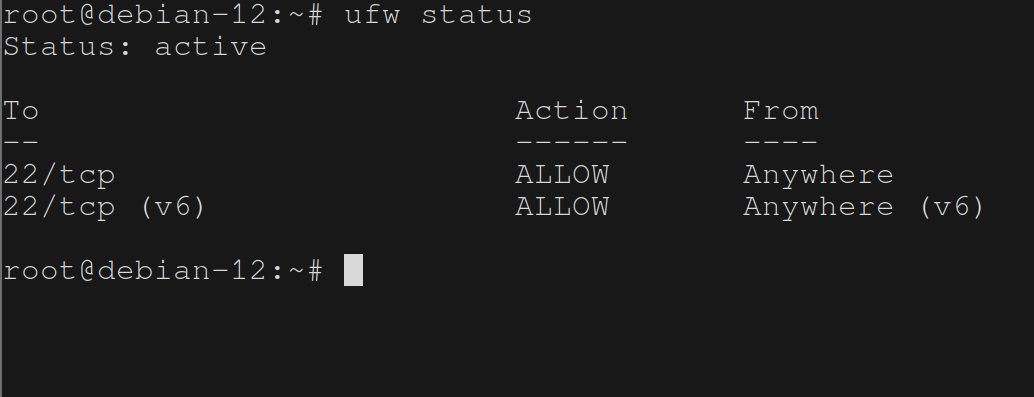
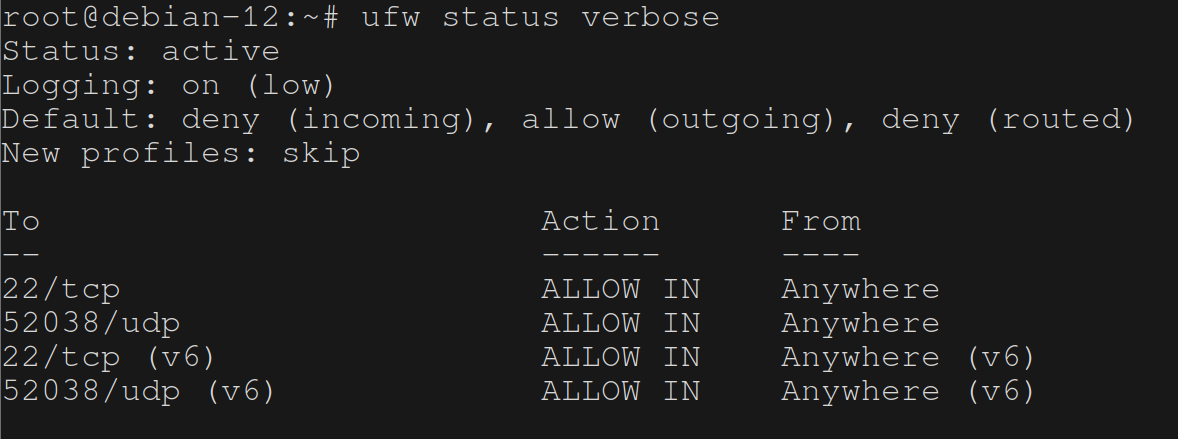 , no, I want to open, for example this port, but: