
- 2 years
This is great!
@tripflag@lemmy.world If you don’t mind, what tools did you use to create this html? Have a cheatsheet.txt that I often share with devs on my team and I’d love to format it into something like this with a TOC, display name for a command, and links down to each oneliner.
- 2 years
I’m sorry to say it’s a bit of very old-fashioned php that’s in charge of all that xD
I’ve modified it to print its own source code if you append
?dat=sauceto the URL, and I’ll try to answer questions if I can remember how it worked :-)- 2 years
Thanks man. This is likely going to be too much for me, but I really appreciate you providing it. Taking a look :)
edit: Actually, I think I get it after looking at the nix.sh that’s the actual list of commands. Thanks! Seeing if I can tweak things so I can make my own version. Cheers!
- 2 years
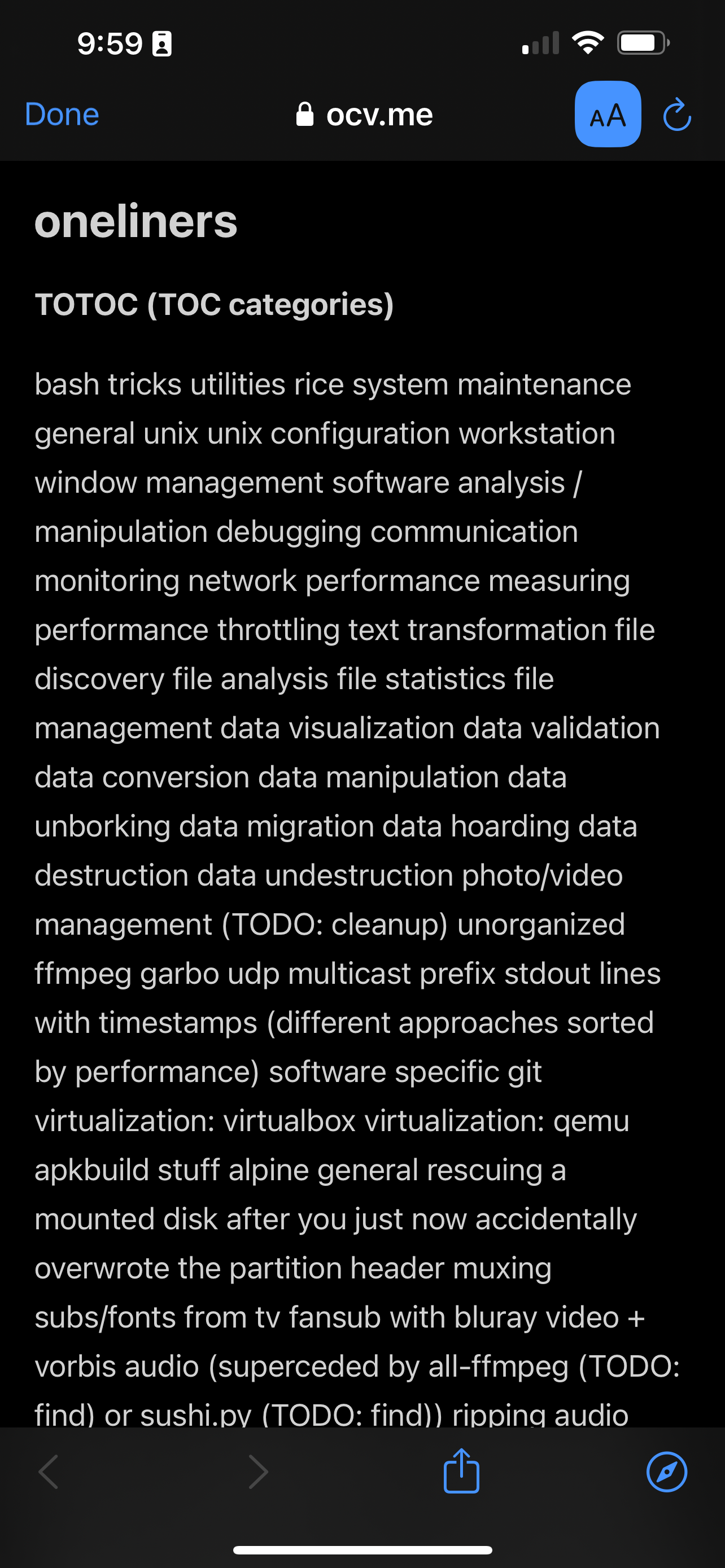
Opening this in reader mode and seeing a wall of SEO garbage is a bit off putting. Which isn’t to say this isn’t a good resource. I haven’t dug that far. Just meta commentary on the state of the internet.Also, I don’t normally see that so maybe there’s a better SEO implementation.- 2 years
Hey! Website author here :>
Curious about the SEO garbage you’re seeing because that’s not coming from me. Could you post an example? Are you using any shady VPN’s or anything like that?- 2 years
This is just Safari in reader mode. No vpns. I checked Firefox in reader mode and I don’t see the same thing.
- 2 years
oh good, that’s just reader-mode mangling the TOC. Those are supposed to be clickable links to jump to the relevant section. Firefox’s reader-mode does a better job by not rendering the TOC at all. Thanks for the scare hehe